Hesychia for iPhone
Scripture before screens
Type a verse to open the apps you’ve chosen to limit.
Hesychia puts a moment of Scripture between you and the apps that pull you away. Choose the apps and websites you want to use less; when you open one, type a short passage from the Bible first. It opens for the time you chose, then locks again on its own.
How it works
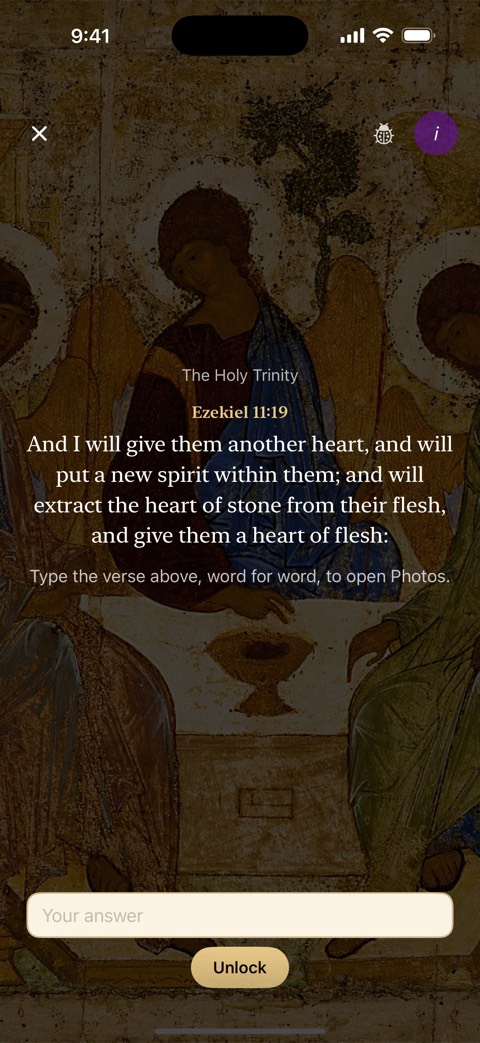
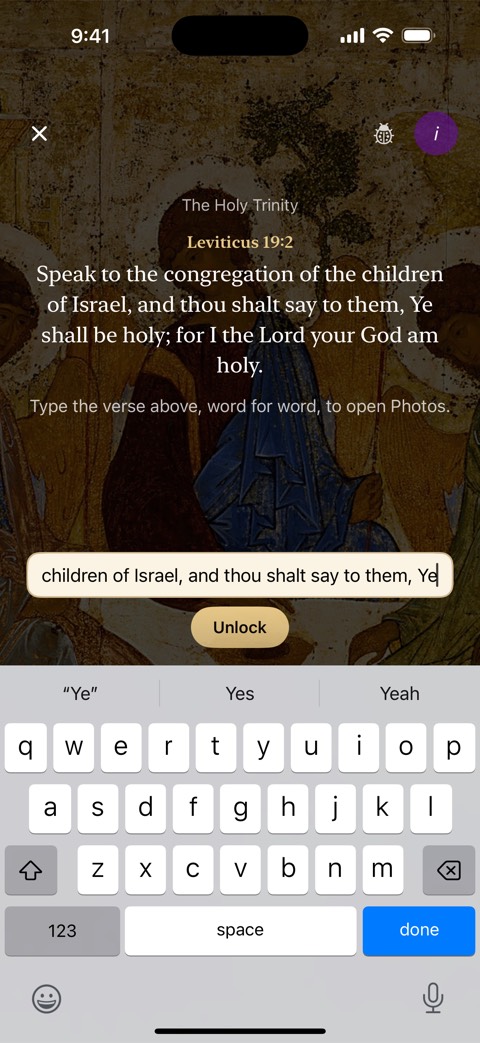
Type the verse, then it opens
Choose
Pick the apps, app categories and websites you want to limit, with Screen Time’s own picker.
Open
Open one of them and Hesychia’s lock screen names the app and offers Type the Verse.
Type
Type the passage word for word, in the notification or on Hesychia’s typing screen. Small typos are forgiven.
Relock
The app opens for the time you chose, from 5 to 120 minutes, then locks again on its own, even mid-scroll.
The verse pool
The whole Orthodox canon
Every passage comes from the Old and New Testaments as received in Orthodox Christian tradition: the full Septuagint, including the deuterocanonical books, with the New Testament.
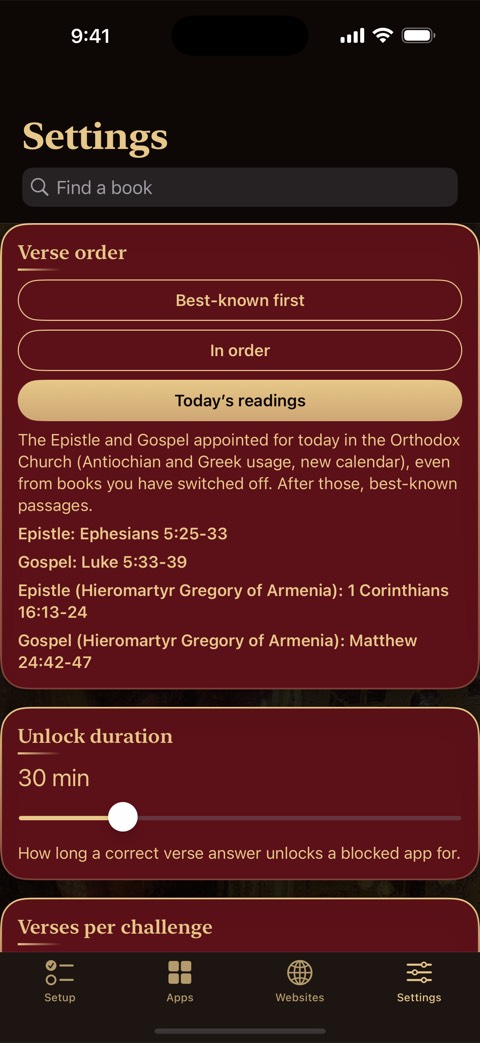
Each challenge comes from whichever book you’ve gone longest without, so you aren’t shown the same few verses over and over. Under Settings > Verse order you choose how passages are picked:
- Best-known first. Each book opens with its best-known passages, such as John 3:16 and 1 Corinthians 13, then continues from the beginning.
- In order. Each book is read straight through.
- Today’s readings. The Epistle and Gospel appointed for today in the Orthodox Church (Antiochian and Greek usage, new calendar). Built in, so it works offline.
Websites
Blocklists under patron saints
Besides sites you pick yourself, four ready-made lists turn on with one switch, each entrusted to a saint known for overcoming that struggle. Each can have its own days and times.
St. Mary of Egypt
Repentance from a life of sexual sin.
St. John the Almsgiver
Gave away his wealth to the poor.
St. Moses the Black
A robber transformed by repentance.
St. Nicholas of Myra
Guardian against fraud and deceit.
These lists use Apple’s built-in web content filter, so a blocked site shows Apple’s restriction page rather than a verse. Each covers the best-known sites in its category and can’t be complete; scam sites change constantly.
Common questions
If something isn’t working
A blocked app didn’t lock again
Open Hesychia once; it rechecks every unlock. If it keeps happening, go to Settings > Diagnostics, tap Copy Report, and email it to us.
Nothing is being blocked
Hesychia needs Screen Time permission. Settings > Diagnostics shows whether it’s granted and what’s selected. Check that blocking is on in the Apps tab.
A verse won’t accept my answer
Type the words as shown. Punctuation and capitals don’t matter, and a few typos are allowed. If a passage looks wrong or cut off, tell us the reference.
Can I block only on certain days?
Yes. Give any app, category or website list a schedule: the days, all day or a time range, including overnight. Outside it, the item isn’t blocked.
Support
Get in touch
Hesychia is built and maintained by one person. If something isn’t working, or you have a question or a suggestion, write to this address. Every message is read.
Hesychiasupport@proton.me
Or open it in your mail app. Credits for every Scripture text, icon and data source are in the app under Settings > Acknowledgements.
For your own phone
Hesychia is a personal tool for managing your own screen time. It is not a parental control and cannot supervise another person’s device. It collects no data: no account, no analytics, no ads. Read the privacy policy.